Every few weeks, Windows 11 pops up a startup message, “You’re almost done setting up your PC”. It’s easy to dismiss with the “Remind me in 3 days” — and it is a lot more than three days that you will see it again. I can live with it, but many are irritated at the constant attempts to upsell unwanted services. I don’t trust any online service to store my files or passwords, so it does irritate me for a second or two.
Some PCs show a slightly different wording – “Let’s finish setting up your PC”

The Solution
Go to to Settings: Open the Start menu, go to Settings.
In Notifications: Select System, then Notifications.
Disable Suggestions: Scroll down to Additional settings, expand it and uncheck the following option:
“Suggest ways to get the most out of Windows and finish setting up this device”
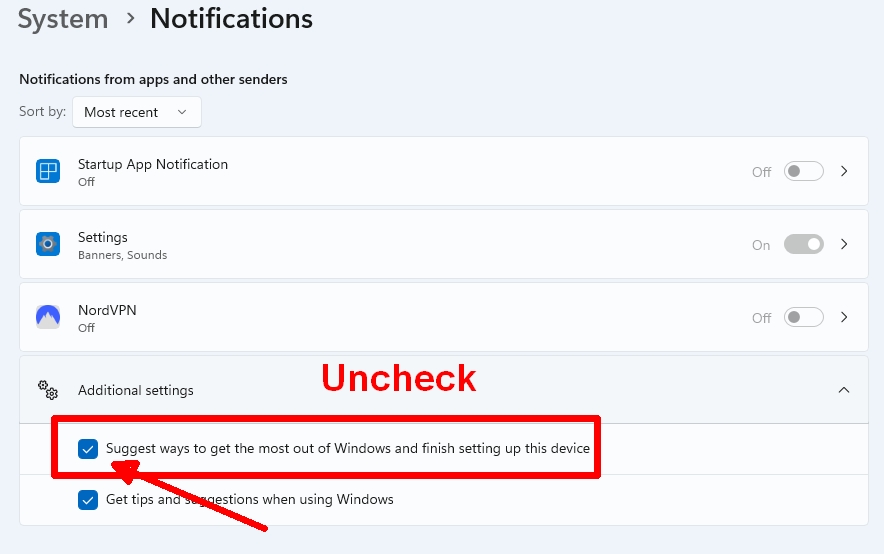
That will disable this irritation permanently.